Sports bonus
Get +150% on your first deposit up to 40,000 INR. Min deposit 75 INR.

Welcome bonus 150% up to 40,000 INR
Deposit Series up to 8,400 INR
Get the Melbet app in multiple languages and play in India on Android APK or iOS. Betting features work in-app, with payments like UPI, PhonePe, Paytm, Google Pay, NetBanking, cards, Apple Pay, and crypto options. Welcome offer: +150% first deposit bonus up to 40,000 INR, min deposit 75 INR.
Install once, then deposit and place bets in seconds.

| Developer: | Melbet |
| Size: | Varies by device |
| Downloads: | Varies |
| License: | Curacao eGaming |
| Classification: | 18+ |
| Language: | English (India) |
| Latest update: | Latest version available |
| Platform: | Android, iOS |
| Download Options: | Android APK, iOS App Store |
Download and install the Melbet APK on Android in a few minutes. The file is free, and the process stays simple if you follow these four actions in order.
After install, sign in and reach the sportsbook in one tap.
Tap the button below on this page, or use the Android link in the footer, to download the MelBet.apk file.
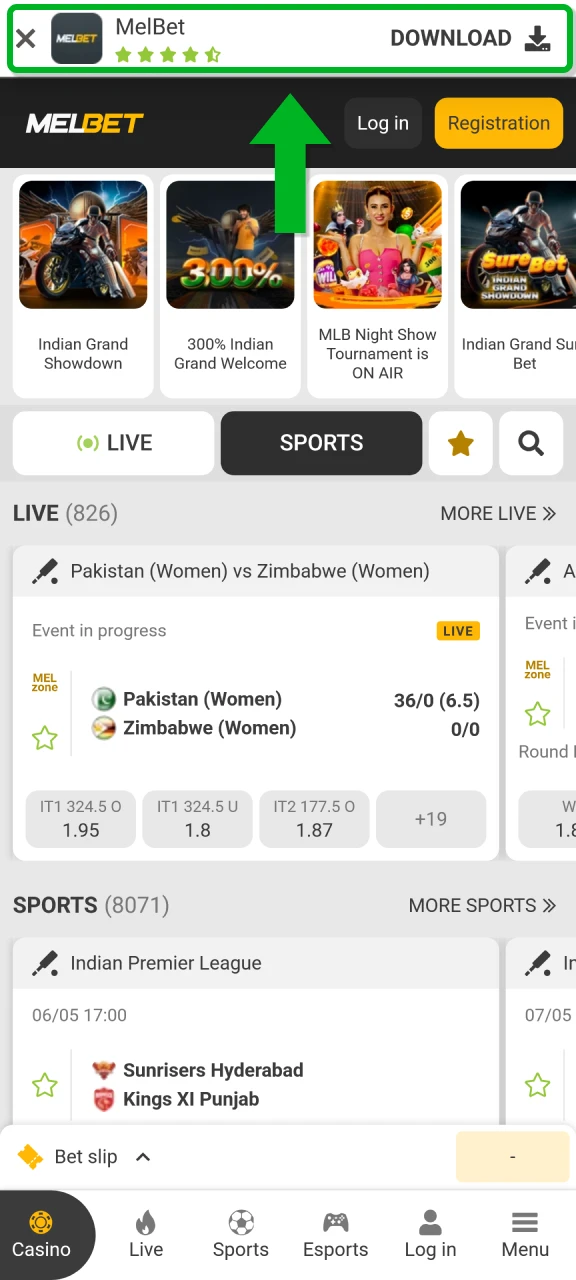
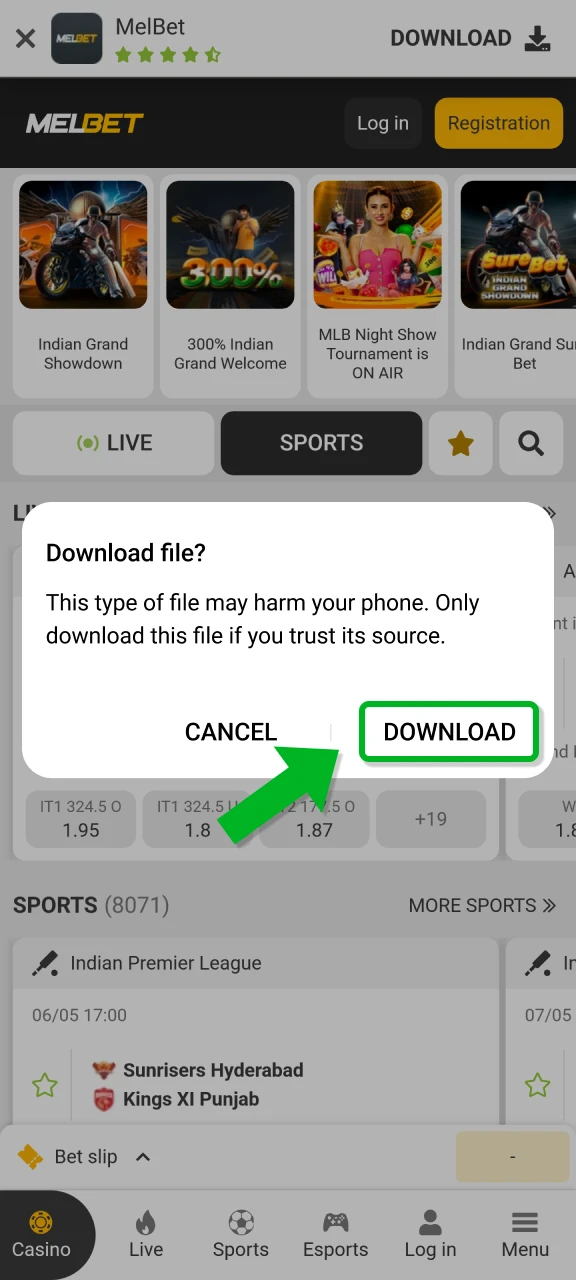
Your browser may warn that files of this type can harm your device. Tap Load to keep the MelBet.apk file.
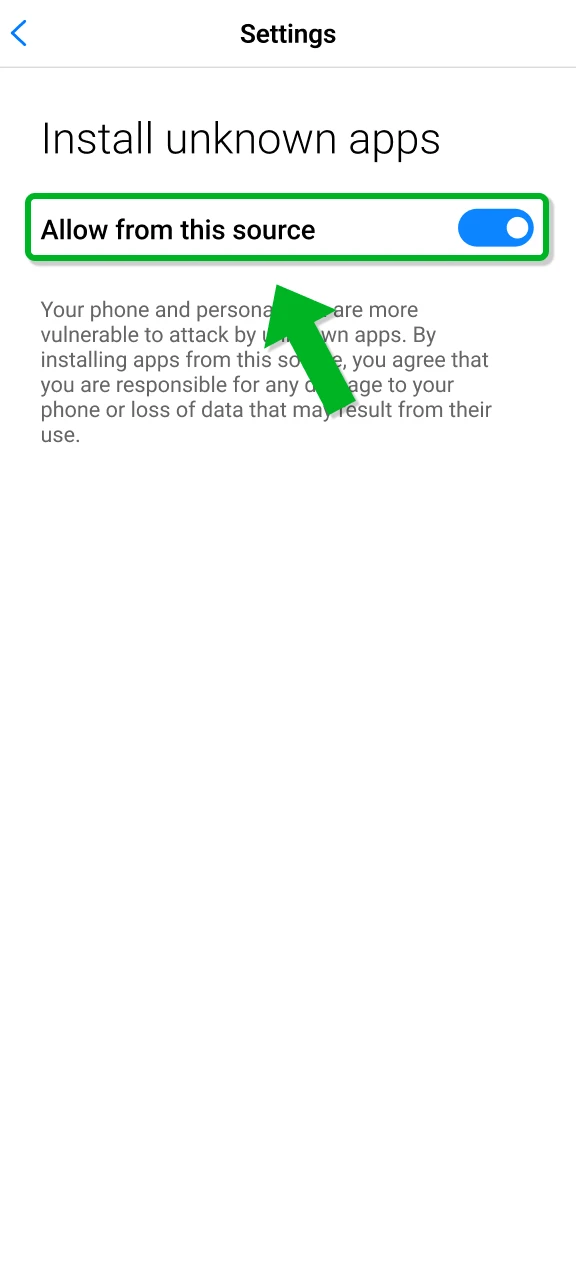
Open Settings, go to Install unknown apps, and allow installs for the browser or file manager you used to download.
Open the downloaded MelBet.apk, tap Install, then tap Open to launch the app and sign in.

The Melbet Android app is free to download and lets you bet on mobile anywhere you have internet. Installation steps are listed above, so you can complete setup quickly and start after login.
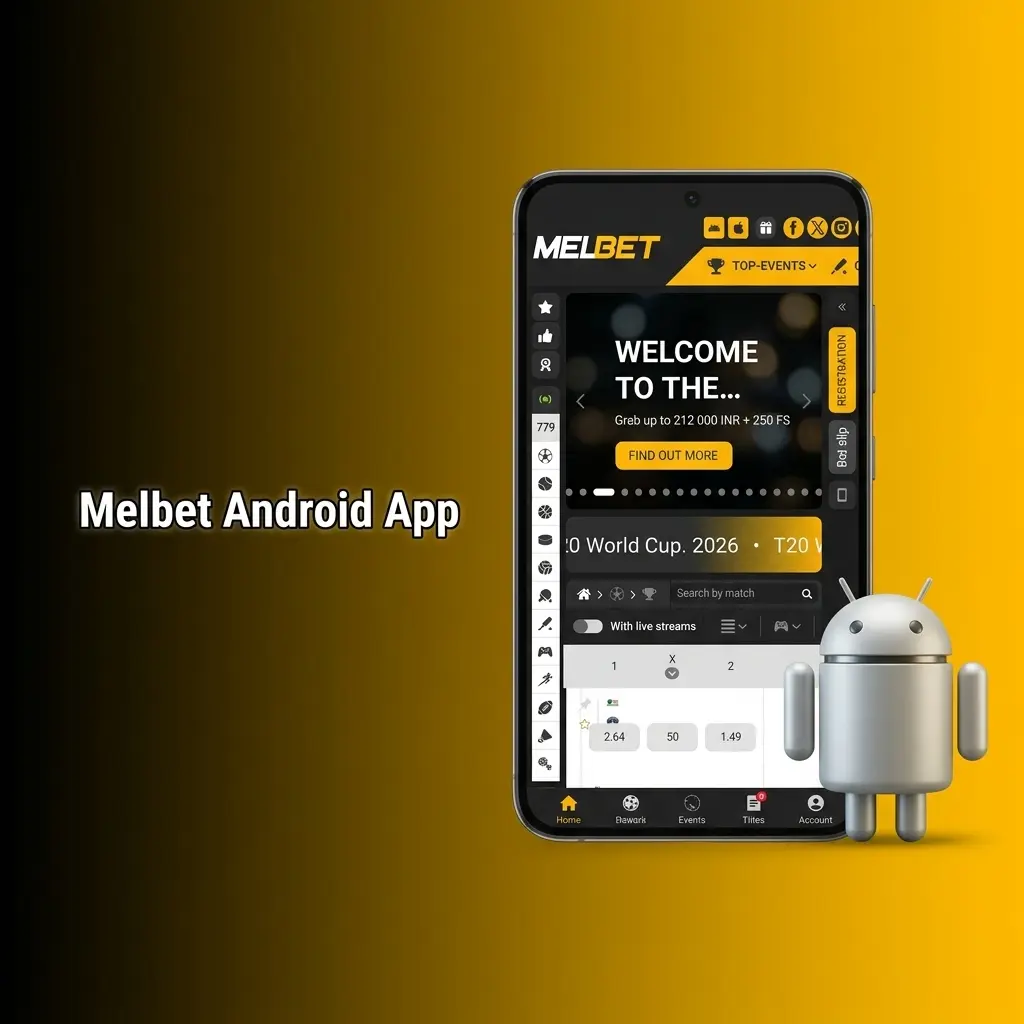
Check these minimum requirements before you install the Android application for stable performance.
| Requirement | Minimum |
|---|---|
| Android version | Android 6.0 or higher |
| RAM | 2 GB |
| Free storage | 100 MB |
| Processor | 1.5 GHz or higher |
Meeting the minimum specs reduces crashes and speeds up loading.
The Melbet app works well on many popular Android phones used in India.
If your phone runs Android 6.0+, installation usually completes without issues.
On the India version of the site, the iOS app is installed from the App Store after you switch your store region. Follow these five steps in order on your iPhone or iPad.
After setup, the app keeps login and navigation faster than a browser session.
On your iPhone or iPad, open the App Store, tap your profile icon, then open Account and select Country/Region.
Tap Change Country or Region and select Vietnam or Mongolia, then accept the Apple Media Services Terms and Conditions.
Enter a local billing address for the selected region and set the payment method to None to confirm the change.
Search for MelBet in the App Store, or open the link on this page, then download and install the app. If the store blocks it, create a new Apple ID set to the same region.
Open the app, log in or register, set INR as your currency, then deposit and place your first bet.
The Melbet iOS app works on iPhone and iPad and needs low storage to run well. Download is free, and you get the same core functions as the website, including sports markets, live betting, and live scores. Minimum requirement: iOS 12 or higher. Keep at least 100 MB free memory for updates and cache.
Install once and keep your account ready for quick deposits and bets.
Check these iOS requirements before install so the application runs without slowdowns.
| Requirement | Minimum |
|---|---|
| iOS version | iOS 12 or higher |
| RAM | 2 GB |
| Free storage | 100 MB |
| Processor | Apple A9 or newer |
If your device meets these basics, the app stays stable during live betting.
The Melbet app runs well on recent iOS generations with current updates.
Newer models load markets faster and handle live streams better.
Sign up in the Melbet application in minutes, and access is limited to users aged 18+. Keep your phone number and basic details ready.
After registration, you can deposit immediately and start betting on your favourite events.
Keep the app updated for new markets, security patches, and bug fixes.
iOS
Android
Updates add features, improve security, and fix errors.
New users in the Melbet app choose their welcome bonus during sign up: a 150% sports first deposit bonus up to 40,000 INR, tiered by deposit size. Installing the app also unlocks 20 free spins in Ultra Fresh by Endorphina, credited within 24 hours and subject to x20 wagering within 3 days.

Get +150% on your first deposit up to 40,000 INR. Min deposit 75 INR.
Get 20 free spins in Ultra Fresh for installing the app, on top of your 150% sports welcome bonus.
Select your bonus during registration, then complete your first deposit to claim it.
Place your first sports bet fast after you sign in.
Use the button to reach the sportsbook after sign up.
The Melbet mobile website works on any phone or tablet using a browser. You can place bets, manage your account, and handle deposits or withdrawals without installing software. It suits quick access on shared devices or low storage phones.
Use the site if you want play without installation.
The mobile site replicates most functions of the app, but many players prefer the dedicated application for speed and easier repeat access.
| Application | Site |
|---|---|
| One tap launch from home screen | Needs a browser and a fresh tab |
| Login can stay saved longer | Sessions can expire more often |
| Faster access to live betting | More page reloads on weak networks |
| Better use on mobile data | Heavier on browser cache |
| App updates add fixes and features | Updates depend on browser behaviour |
The Melbet mobile app suits regular play. You get quicker navigation, stable performance during live markets, and simpler access to payments and bet history.
The Melbet betting app covers major sports and eSports with LINE and LIVE options. You can use Single, Accumulator, and System bets based on your plan. Each sport has its own page with team stats, form, and match details, and live streams are available for selected events.
Use LIVE markets for fast decisions with updated odds.

The Melbet mobile app is built for quicker play, faster access, and better control on a phone.
Choose the app if you place bets often and want fewer steps each session.
Open LIVE markets in fewer taps and keep the bet slip ready. This helps when odds change quickly during cricket overs or football attacks.
Use UPI and wallets common in India. Deposits credit fast after confirmation, and withdrawals use the same account flow inside the app.
Manage pre-match betting, live betting and esports from one account, without opening multiple browser tabs.
Use app login features and quick account access. Check bet history, settle coupons, and manage limits without hunting through browser menus.
Install with modest space needs and update when a new version is available. New builds improve stability and add features.
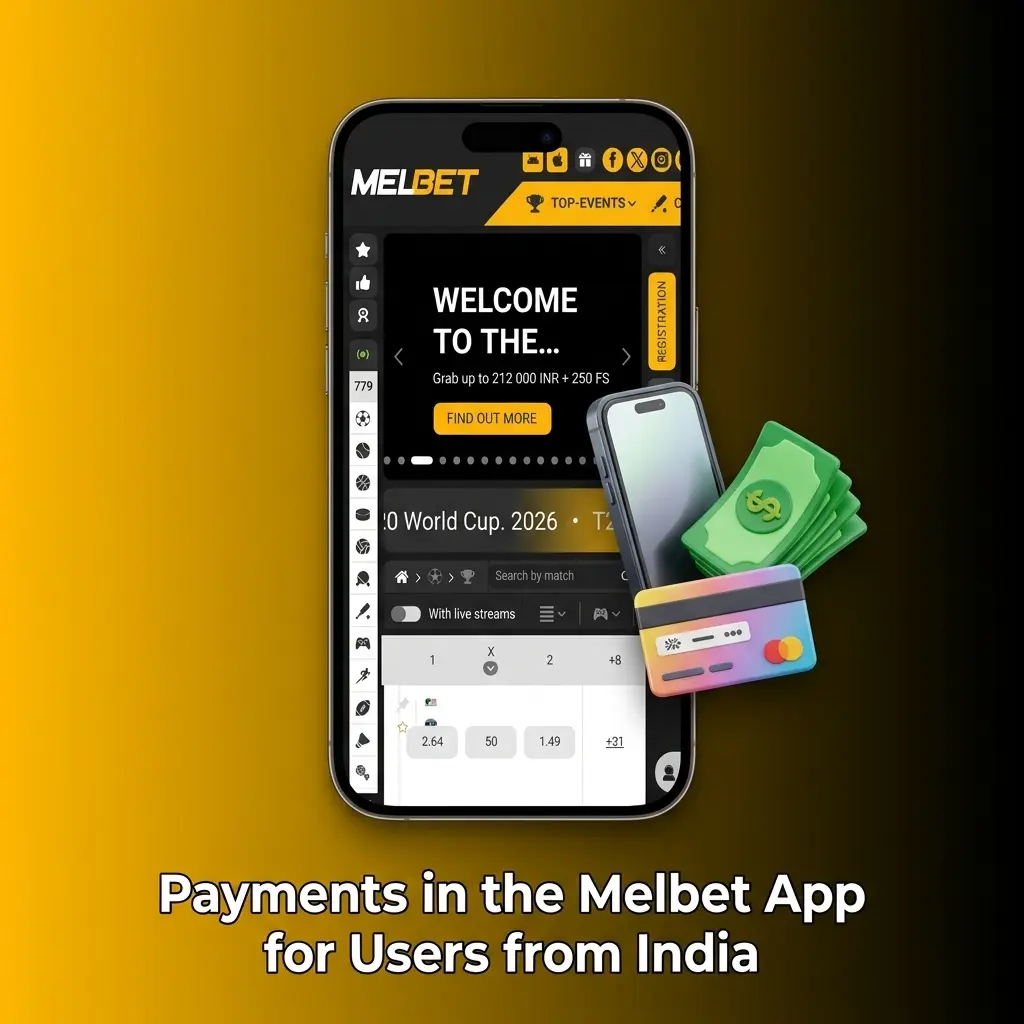
You can deposit and withdraw in India using popular local options and international methods inside the app. Deposits credit instantly after confirmation, and many withdrawal methods process in minutes after approval. Minimum deposit: 75 INR. Minimum withdrawal: 300 INR.
Pick the method you use daily so deposits and withdrawals stay simple.
The Melbet official app runs under a gambling licence and follows standard compliance rules for online betting. Data transfer uses SSL certificates and encryption to protect logins and payment details. Install the APK only using the official download link on this website to reduce risk of modified files.
Use basic account security steps, and keep your device updated.
Our Indian support team is available 24/7 to assist with any questions or technical issues you may encounter.
Use support inside the app if you need account specific help.
Yes. Sign in on the second phone with the same details. Account security checks can ask for a confirmation step.
You can select INR during registration. Existing accounts can use INR if it is available in your profile settings.
The app is built for mobile. Use the website on a PC browser, or use the mobile site on a laptop if needed.
Check internet, update the app, then reset your password. If the issue stays, clear app cache on Android and try again.
Verification may be requested before the first withdrawal or for large amounts. Keep PAN or other ID and address proof ready.
Yes. Use account settings to set deposit limits or session controls when available, and keep play within your budget.
Live streams use more data than regular browsing. Turn off streaming and use text updates if you want lower data usage.
Updated:
Comments